Claw Fishing Guides Hub
Every walkthrough for Smoothly Sailing's boat-and-claw fishing loop — from your first catch to whale shark hunts.
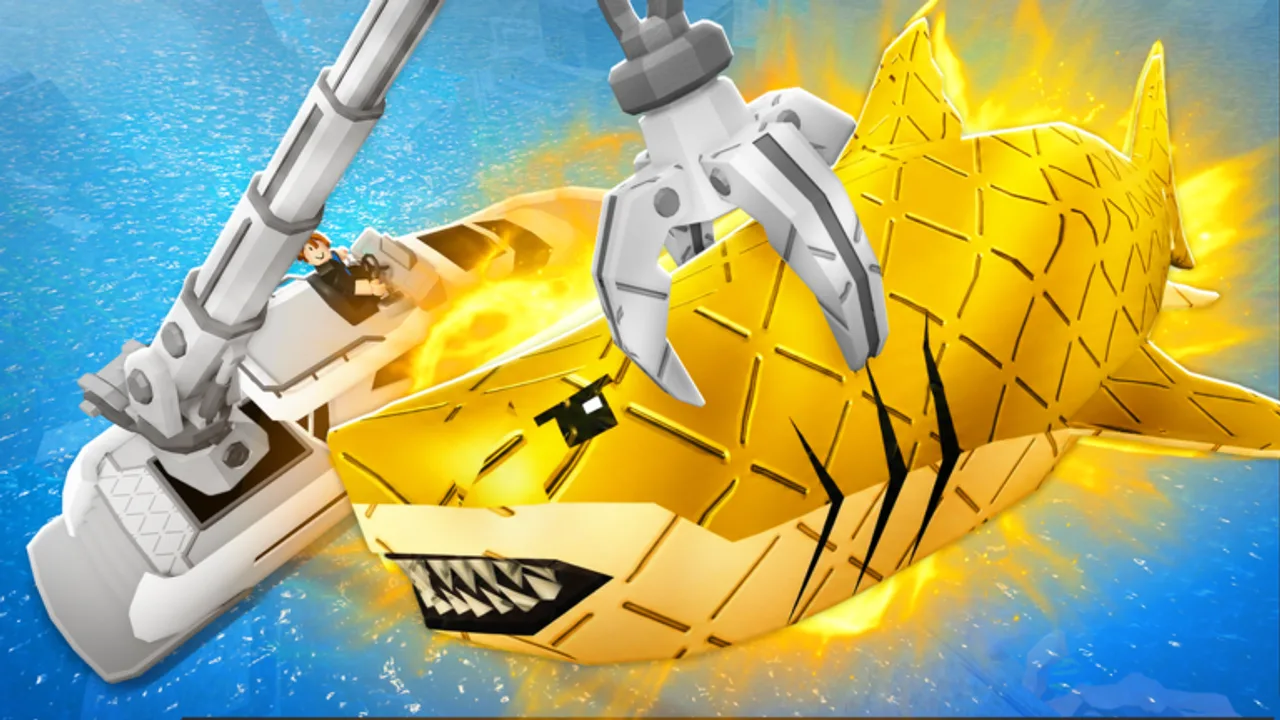
Welcome to the Claw Fishing Guides Hub for Claw Fishing by Smoothly Sailing. This Roblox experience replaces traditional rod fishing with a mechanical claw mounted on your boat: you drive, lower the claw, grab fish from the ocean, and deposit them in your aquarium where they generate passive money. Up to six players share the same waters, and a tsunami can wipe out careless runs. Every guide below is written for English readers on desktop, mobile, tablet, and console.
If you have never played before, start with Getting Started — it walks through the full loop in order. Returning players can jump straight to the topic they need. The header Guides dropdown shows the top entries and links View all here when the list grows past eight items.
Core loop at a glance
Claw Fishing is built around four repeating steps:
- Drive your boat to fishing zones away from the harbor.
- Lower the claw and time your grab when fish swim within reach.
- Catch fish and secure them on deck without losing them to hazards.
- Put fish in the aquarium so they generate money over time.
Money funds boat and claw upgrades, which let you reach deeper water and heavier rare species. The Aquarium & Money Guide and Best Money Methods explain how to turn catches into steady income instead of one-time sells.
All Claw Fishing guides
| Guide | Best for |
|---|---|
| Getting Started | First session, tutorial goals, early money |
| Controls | PC keybinds, mobile touch, console layout |
| Tsunami Survival | Warning signs, escape routes, protecting your claw |
| Aquarium & Money | Passive income, slot priority, collection timing |
| Upgrades | Boat, claw, and aquarium upgrade order |
| Rare & Legendary Fish | Rarity tiers, hunting routes, keep vs sell |
| Whale Shark | Deep-water route, timing, and long-term value |
| Best Money Methods | Ranked income strategies and session plans |
| Multiplayer Tips | Six-player lobbies, contested schools, fair play |
| Leaderboard Top 100 | Ranking climb, session templates, endgame keepers |
Each page cross-links the others so you can move from basics to endgame without hunting across the wiki.
Who these guides are for
New players should read Getting Started, then Controls if anything feels awkward on their device. Mobile and console players often underestimate how much camera angle affects claw accuracy — the controls guide covers that before you frustration-quit.
Mid-game players stuck on income plateaus should pair Upgrades with Best Money Methods and Aquarium & Money. Buying the wrong upgrade first is the most common reason progress feels slow after the first hour.
Rare fish hunters and ranking players should read Rare & Legendary Fish and Leaderboard Top 100 before dedicating sessions to a single target. Legendaries and the Whale Shark require better claw reach, stable boat control, and awareness of tsunami timing — plus Multiplayer Tips when lobbies are crowded.
Related wiki sections
Guides focus on how to play. For complementary reference pages, bookmark:
- Codes — promo rewards when Smoothly Sailing releases them
- Tier List — fish and upgrade priority at a glance
- Updates — Jul 2026 patch tracker
- Wiki overview — game facts, platforms, and quick links
Staying current
Claw Fishing launched around April 2026 and was last updated on the Roblox universe around 27 July 2026. When Smoothly Sailing patches claw stats, new fish, or tsunami behavior, we update these guides at the source JSON level. If something in-game no longer matches a page, check the Updates hub for patch notes.
Recommended reading order
- Getting Started
- Controls
- Aquarium & Money
- Best Money Methods
- Upgrades
- Tsunami Survival
- Multiplayer Tips
- Rare & Legendary Fish
- Whale Shark
- Leaderboard Top 100
That path takes you from zero to hunting the most popular rare fish without skipping safety, economy, or lobby fundamentals.
Quick facts about Claw Fishing
For cross-page consistency with our Wiki overview:
- Developer: Smoothly Sailing (~30K group members)
- Platform: Roblox — desktop, mobile, tablet, console
- Players per server: up to six
- Core hazard: tsunami events offshore
- Income model: aquarium passive generation, not one-time sells alone
- Scale (late Jul 2026): ~2.63M visits, ~9K concurrent peaks, ~13.3K favorites, group ~30.3K
Knowing these facts helps you pick the right guide when friends ask whether Claw Fishing is worth downloading or how it differs from rod-based Roblox fishing games.
Frequently Asked Questions
Quick answers players ask while claw fishing on Roblox.
Where should I start if I am brand new to Claw Fishing?
Open the Getting Started guide first. It covers the boat-to-aquarium loop in order, then points you to Controls and Aquarium & Money for your device and income goals.
Do these guides cover mobile and console?
Yes. Claw Fishing supports desktop, mobile, tablet, and console. The Controls guide breaks down touch and gamepad layouts alongside PC keybinds.
What is the most important guide after the tutorial?
Aquarium & Money. Fish only build long-term wealth when placed in your aquarium. Selling everything early leaves you underpowered for upgrades and rare fish routes.
How do I learn about the tsunami hazard?
Read the Tsunami Survival guide. It explains warning cues, when to abort a claw drop, and how to return to harbor without losing your catch.
Which guide covers the Whale Shark?
The dedicated Whale Shark page covers route planning and claw timing. For general legendary hunting tips, also read Rare & Legendary Fish.