Claw Fishing Controls
PC keybinds, mobile touch, and console gamepad — master the boat and claw on every platform.
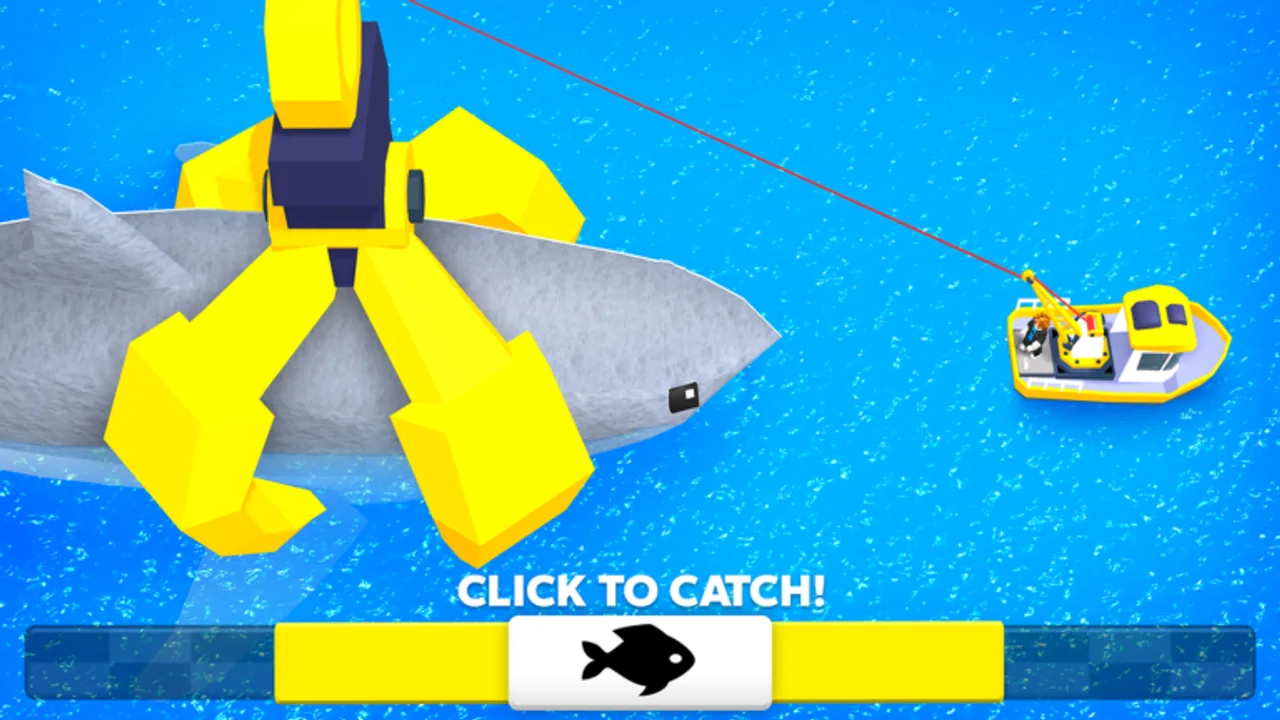
Claw Fishing by Smoothly Sailing runs on desktop, mobile, tablet, and console, and every platform uses the same mechanics: drive a boat, operate a crane claw, interact with the aquarium, and react to tsunami warnings. What changes is how you steer, aim, and confirm actions. This guide breaks down controls by device so you spend less time fighting inputs and more time filling your aquarium. Pair it with Getting Started for the full loop and Tsunami Survival for emergency driving under pressure.
Universal actions
Regardless of platform, Claw Fishing expects you to perform these actions repeatedly:
| Action | Purpose |
|---|---|
| Enter / drive boat | Move to fishing zones |
| Lower / raise claw | Grab fish from the water |
| Grab / release | Confirm a catch on the claw |
| Interact | Deposit fish, open aquarium, collect money |
| Camera look | Align claw over moving fish |
On-screen prompts near the harbor usually label the interact button for new players. If prompts disappear after the tutorial, check Roblox settings → Controls for your bound keys or buttons.
PC and desktop controls
Desktop is the most precise platform for claw alignment because mouse camera control is fast and granular.
Movement and boat driving
- W / A / S / D — steer and throttle the boat (standard Roblox vehicle layout).
- Space — hand brake or boost where the boat supports it; tap lightly to stop drift before dropping the claw.
Camera
- Mouse movement — look around and track fish under the claw.
- Right mouse button (hold) — many players hold RMB for steady camera while adjusting position with WASD.
Claw
- Left mouse button or labeled Claw key — lower, grab, or confirm depending on context.
- Some layouts separate Lower and Grab onto different keys; watch the bottom-right UI the first time you deploy the claw.
Interaction
- E — interact with aquarium slots, money collectors, and harbor NPCs (standard Roblox bind).
Tips for PC players
- Lower mouse sensitivity slightly if the claw overshoots small fish.
- Stop the boat completely before fine-tuning claw depth; micro-drifts cause most misses.
- Bind Shift Lock if available — it stabilizes camera-forward driving when chasing schools.
Mobile and tablet controls
Mobile Claw Fishing uses touch overlays. Tablet screens offer more room, but the control logic is identical.
Driving
- Virtual joystick (usually left side) — steer and accelerate the boat.
- Drag on screen (right side) — rotate camera to aim the claw.
Claw
- Dedicated Claw button — tap to lower; tap again or use a secondary Grab icon when fish align.
- Some builds use a hold-to-lower, release-to-stop pattern; test once in shallow water.
Interaction
- Context Interact button appears near aquariums and collectors when in range.
Tips for mobile and tablet
- Increase claw button size in Roblox mobile settings if you mis-tap under pressure.
- Play landscape orientation on phones; portrait crops the water view and hides fish paths.
- Reduce graphics slightly on older phones to prevent input lag during tsunami escapes.
- Use two thumbs: left drives, right controls camera — avoid one-hand play in deep water.
Console controls
Console players use a gamepad. Exact layouts follow Roblox defaults unless Smoothly Sailing remaps them in-game.
Typical gamepad layout
| Input | Action |
|---|---|
| Left stick | Steer boat |
| Right stick | Camera / claw aim |
| RT / R2 | Accelerate |
| LT / L2 | Reverse or brake |
| A / Cross | Interact, confirm grab |
| X / Square | Claw lower or toggle |
| B / Circle | Cancel claw drop |
Tips for console
- Sensitivity on the right stick changes claw accuracy more than boat speed. Find a middle setting.
- Use coarse move → fine stop rhythm: full stick to approach a school, tap stick to align, then drop claw.
- Headphone audio helps detect tsunami cues when UI scale hides warnings on TV screens.
Claw timing fundamentals (all platforms)
Controls only matter because claw timing is tight. Apply this sequence on every device:
- Stop the boat over the target fish.
- Track with camera until the fish passes under the claw center.
- Lower to the correct depth — not maximum depth by default.
- Grab when the fish is centered, not when you first see it approach.
- Raise and secure the catch before accelerating toward harbor.
If you grab empty air repeatedly, the problem is usually camera alignment, not the wrong button. Re-read Getting Started step three, then practice in starter zones before rare fish routes.
Aquarium and money interactions
Depositing fish and collecting earnings use the same Interact action across platforms:
- Approach the aquarium until the prompt appears.
- Select an empty slot or swap a weak fish for a stronger catch.
- Collect accumulated money at the designated collector so earnings do not idle uncapped.
See Aquarium & Money for which fish to slot first; controls are useless if placement strategy wastes your best catches.
Adjusting Roblox control settings
Claw Fishing inherits Roblox’s global control menu. Open Settings → Controls (or the gear icon on mobile) to:
- Remap Interact if E feels awkward on keyboard.
- Toggle Shift Lock for camera-stable driving.
- Change vehicle control mode if the boat feels inverted or sluggish.
Smoothly Sailing may add in-game control hints near the harbor; those override generic advice when they appear.
Practice drill (ten minutes)
Run this drill once per platform switch:
- Catch five common fish in shallow water using only stop-and-drop technique.
- Deposit all five in the aquarium without selling.
- Drive to harbor on a mock tsunami timer — stop fishing at an imaginary sixty-second warning.
- Repeat until five consecutive catches land without empty grabs.
When the drill feels easy, move to Upgrades and invest in claw reach so deeper Whale Shark zones become reachable.
Frequently Asked Questions
Quick answers players ask while claw fishing on Roblox.
Does Claw Fishing support console and mobile controls?
Yes. The game lists desktop, mobile, tablet, and console support. Touch and gamepad layouts differ, but the boat, claw, and interact actions are the same.
What is the most important control skill for catching fish?
Camera alignment. Stop the boat, center the fish under the claw, then lower and grab. Moving while dropping causes most misses on every platform.
How do I interact with the aquarium on PC?
Use the standard Roblox interact key, usually E, when the prompt appears near your aquarium or money collector.
Why does my claw grab nothing on mobile?
Often camera drift or tapping Grab too early. Use landscape mode, stabilize the view with your right thumb, and grab when the fish is centered—not when it first enters frame.
Where can I learn tsunami escape driving?
Read the Tsunami Survival guide after practicing basic boat stops here. Emergency driving uses the same inputs under time pressure.